
Searching Cases by Name
For a Benzie County name search, use MiCOURT Case Search. It is the free statewide public case-history service. Accept the terms screen first. Then pick the court and choose Name Search. A common surname can pull up many matches. Add optional details only to narrow things down. Remember that the online result is informational. It may leave out parts of the full court file.
- Choose the relevant Benzie court before searching.
- Enter Last Name or Business with at least two characters.
- Add first name, middle name, or birth year only when needed.
- Use status, category, or date filters if the result set is broad.
- Open the case detail and confirm a time-sensitive setting with the court.
| Field | Type | Required | Benzie use |
|---|---|---|---|
| Last Name or Business | Text | Yes | At least two characters; wildcard searching is not allowed. |
| First and Middle Name | Text | No | Optional fields narrow a common surname. |
| Birth Year | Numeric | No | Optional narrowing field. |
| Status, Category, Date | Filters | No | Use only after choosing the right court. |
Benzie Case Search Starts With Court Choice
Benzie has no single clerk counter for every file. The 19th Judicial Circuit Court handles circuit matters. Those include felonies after district proceedings, larger civil cases, and family division work. D85-1 marks the 85th District Court. It is the place for traffic, misdemeanors, municipal civil infractions, small claims, and district civil cases. Probate keeps its own register. Picking the wrong court can return an empty docket search even when the case exists.
The Benzie-linked 19th Circuit MiCOURT route is a direct entry point for circuit court records. The public court directory lists D85-1 at the Upper Level Government Center, 448 Court Place, Beulah. It also carries local payment and e-filing details. Those links do not turn MiFILE into a public docket reader.
The Benzie County Clerk maintains circuit records. District staff keep district records. The Probate Register holds probate files. When you call any of these offices, have the court name and case number ready.
Searching by Case Number
Switch to the Case Number Search tab when a citation, notice, order, or earlier result gives you the court-assigned number. MiCOURT asks for a Case Number, makes Year optional, and leaves Type optional too. Type the number exactly as it appears. Do not try to reconstruct a local code from memory.
The interface's own examples include 2018 / 1818003SC / SC, 000001073 / DL, and 17489. Formats clearly vary by case type; there is no fixed Benzie numbering pattern. Also note that D85-1 and C19~1 are court-directory identifiers, not case numbers.
Benzie Case Search Filters and Categories
MiCOURT offers three public status choices: Open or Pending, Adjudicated or Disposed, and Closed. Its category labels put Civil with Domestic and Family Matters. Criminal goes with Traffic and Civil Infractions. Probate is offered separately. Filed-date ranges can shrink a long result. Offense-date filters show up only in supported searches.
Filters help you read a crowded docket list. They cannot prove a case does not exist. Before concluding the index has no match, loosen a narrow filter. Try another spelling. Or search by case number. Juvenile material is not publicly selectable.
Every public docket search must clear the portal's terms and hCaptcha gate. MiCOURT bans bulk downloads and automated abuse. An ordinary individual search plus a request to the right court are therefore the lawful options.
MiCOURT's published case-search reference covers a much broader query vocabulary than the public screen exposes. An API filter is not guaranteed to appear in a Benzie public search.
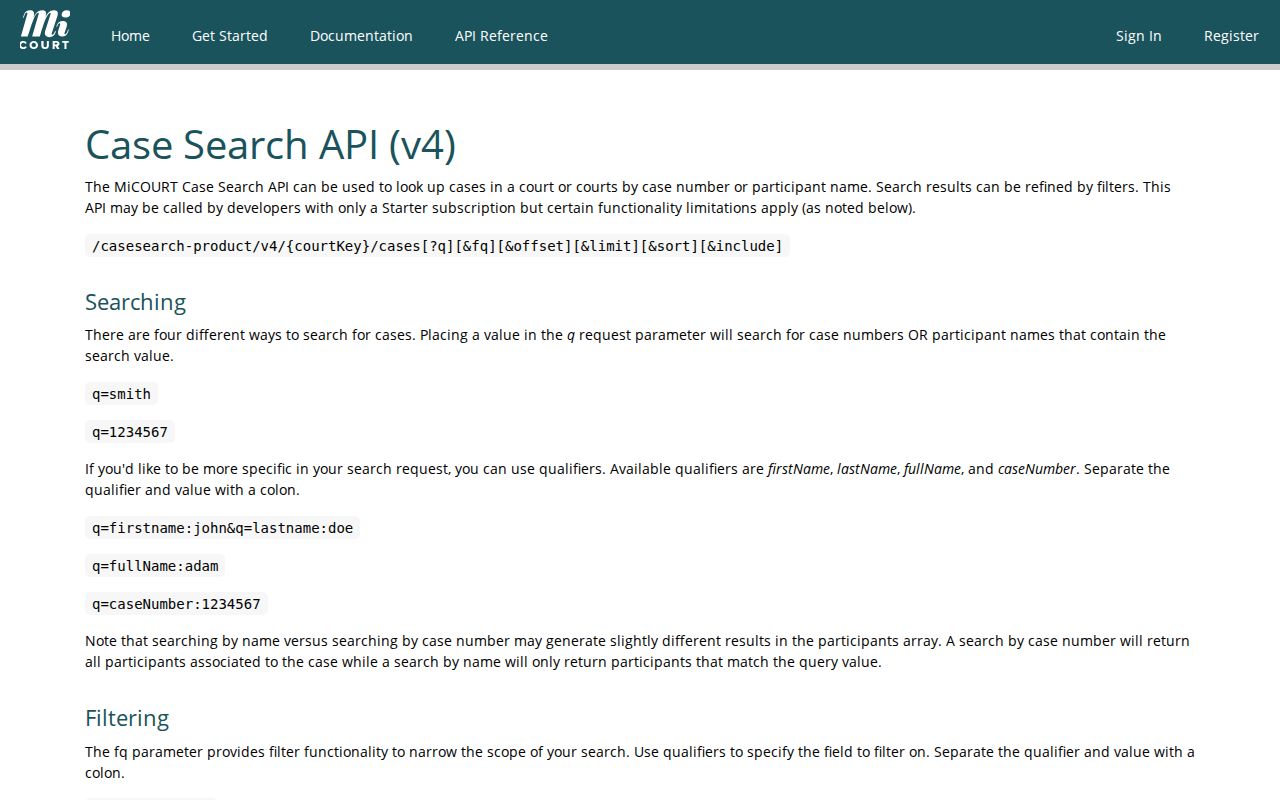
The filter view backs a simple rule. Choose the right court and run a plain search first, then apply narrowing filters only after a likely case set appears.
What a Case Search Returns
A match can open a case detail view listing the case number and title, filing date, status, judge of record, next hearing, balance, disposition, closed date, and due date. What shows up depends on the court, the case type, and public status. The displayed history is not a promise that every document image will be there.
| Header | Case ID or number, title, filing date, court, judge, and current status. |
|---|---|
| Parties | Public party roles, attorney information, and related dates when displayed. |
| Events | Chronological filings, notices, hearings, rulings, and other court-generated entries. |
| Next Hearing | A useful lead for date, time, or description, subject to court confirmation. |
| Outcome and balance | Disposition, closure, and financial fields when public and available. |
Benzie Case Detail Is Not the Official File
Read a detail page top to bottom. Look at the header, party roles, charge or civil metadata, event history, next hearing, disposition, and any public financial field. A criminal docket detail may show counts, charge level, offense date, arraignment, and disposition. A civil matter may list service, answer, motion, order, and judgment events. The public interface does not promise every field on every case.
MiCOURT is the public history layer. MiFILE / TrueFiling belongs to filers, not to readers of Benzie court records. If a document link is missing, use the detail to name the document. Then ask the responsible court about inspection, a plain copy, or a certified copy.
The County Clerk's circuit-records page names the circuit clerk role and its Beulah office.
When a document is missing or a record is old, this clerk route is the practical local path. Use it after the public case history tells you the court and case number.
Statewide vs County Case Search
For Benzie, these are complementary paths, not rival databases. MiCOURT is the statewide public portal. It lets you select a participating Benzie court. The local path is the court or clerk that maintains the official file. Turn to it when the online history is incomplete, older, restricted, or needs certification.
| MiCOURT statewide search | Benzie court or clerk |
|---|---|
| Free public case-history search for participating public categories. | Custodian for the complete file and court-specific procedures. |
| Name or case-number search, filters, and public detail. | Inspection, copies, certified copies, and help identifying an archived file. |
| Useful to begin with C19, D85-1, or probate selection. | Useful when the result is absent, restricted, or needs verification. |
Anyone can pull up MiCOURT Court Display in a public setting to view Benzie County case detail. The calendar lists event rows that anyone can see, but it stops short of a full case register.
Access and Restricted Cases
MiCOURT keeps nonpublic information off the site. Adoption, juvenile and child-protective proceedings, juvenile guardianships, mental illness cases, and name changes are excluded. So are PPO matters, wills, and other protected cases. A search that comes back empty does not prove a case never existed.
Some courts add a seven-year criminal sentencing notice to the selector. For an older matter, verify the court and the search method first. Then call the clerk who holds the file. Access restrictions come from law, court rule, or order. A different search phrase changes nothing.
Michigan Court Rule 8.119 controls inspection and copying of public case records. A county administrative FOIA request cannot use it to override a court seal. It cannot override a protected-record rule either.
Benzie Case Search Failure Checklist
A Benzie case search that returns nothing has a fixable set of causes. Start with the basics. Confirm the spelling, pick the court that owns the case, and clear any narrow filters. If a citation, an order, or an old search result gives you an identifier, use it. Try the case-number tab next.
A missing public result can mean an excluded category, a seal, or an archived record. It can also mean the seven-year criminal-search limit. Or it can simply mean the wrong court selected. The phone calls are short. Circuit matters go to the County Clerk at (231) 882-9671 ext. 2. D85 records are at (231) 882-0019, and probate is (231) 882-9675. Ask the clerk about the file. It may be public, archived, or available only through a court request.
Benzie Case Search and Court Dates
MiCOURT detail may show a next hearing. Treat that field as one clue rather than the final word on a date. A public Court Display row adds a party name, time, room, and case number. A newer order or court notice still controls after a reset. Write the case number down. Compare the newest public entry. Then ask the court administrator to confirm the setting before you plan an appearance around a Benzie case search.
Benzie Case Search Results Need Careful Reading
A MiCOURT result holds more than the title on the row. The public case-search inventory lists a case ID, case title, filed date, status, judge of record, and next hearing. It can also show a balance, disposition and disposition date, closed date, due date, and a payment link when one is available. Party information may include the public party role, attorney name, service or answer dates, and a party disposition. What appears still varies by court and by public status.
Criminal cases get the deepest view. A count, offense date, current or original charge, officer or agency, and charge level can all appear. An amended or reduced indicator can appear too. So can an arraignment date, notice, and disposition. Civil cases lean on event history. That history can show the initiating filing, service, answer, motion, notice, hearing, or order. A judgment, appeal, or satisfaction may appear as well. These labels come from the court itself. Read only what the displayed event actually says, since each entry is a court-generated record and nothing more.
One more warning from MiCOURT. A temporary display issue affects some attempted felonies. These can show as FELONY even when the statute treats the attempt differently. Check the indicator against the actual court record instead of trusting the broad label.
Benzie Case Search Works Better With a Saved Number
Found a likely Benzie result? Save the details before you leave the public screen. Record the exact case number, court name, filing date, and next-hearing information. Those notes make a later call to the County Clerk, 85th District Court, or Probate Register far more useful, especially on a phone where the result is hard to reach or a long event history is tough to review. No public subscription or bulk-download service exists here. A single search followed by a specific clerk question is the practical route to the full court record.